

Arriving On Calypso
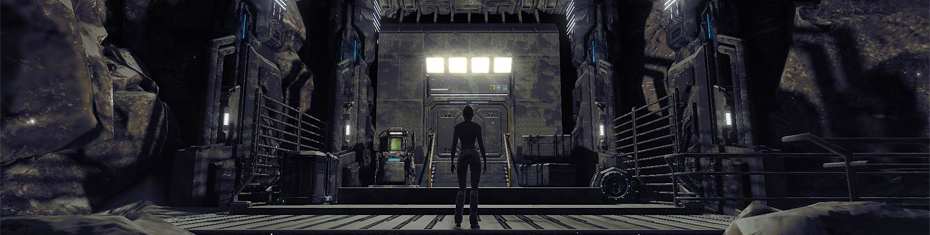
Your adventure begins at the shuttle terminal in the bustling town of Port Atlantis. The only equipment you will have to begin with is your standard orange colonist outfit, some underwear, a pair of shoes and your Inventory Inventory Your Inventory is used to store the different items you need to use during your adventures on Calypso. Your items are automatically sorted into compartments like clothing, armor, weapons etc., which can be viewed by clicking the compartment tabs on the right.
Default Key: I
The icons in the lower right area can be used to organize your Inventory, display only equipped items, view your avatar or place your avatar in camera focus.
The current weight of your Inventory and your PED account balance are also displayed for convenience. Dont forget that the weight of your Inventory will determine how quickly your avatar can move - something to bear in mind when exploring mutant settlements or dark woods - because there will be times when you want to get moving quickly.
Port Atlantis is located in the south-western coastal region of the Eudoria continent. Open your Map Map Your map displays your current position on Planet Calypso. The name of the continent you are on is diplayed in the title bar. Chat Panel
Default Key: M
Use the icons in the upper left area to filter cities, teleporters, land areas and estates.
To view another continent press the continent button at the bottom.
Lower left area of screen
The colored tabs in the lower section allow you to filter which chat channels you wish to read and write to.
The icons in the lower right area allow you to customize your view with transparancy, panel size and chat focus. Incoming messages and important announcements are also indicated by a flashing icon in the square section.
You will be welcomed at the shuttle port in Port Atlantis by the Official Planet Calypso Guides. The Guides are real people that can answer any questions you may have about getting started on planet Calypso. Press enter on you keyboard to write to the Chat Panel Chat Panel
Lower left area of screen
The colored tabs in the lower section allow you to filter which chat channels you wish to read and write to.
The icons in the lower right area allow you to customize your view with transparancy, panel size and chat focus. Incoming messages and important announcements are also indicated by a flashing icon in the square section.
The Official Guide Building is filled with information and items from Planet Calypso. Take some time to look around, and get to know your HUD and important interface panels before you venture out into the town of Port Atlantis.
The Calypso mentor program allows new arrivals to receive info and help from veteran colonists. A mentor can help a newcomer out of difficult situations, or give advice on which equipment is best to buy based on a new arrivals current budget and skill levels. For more information about how to deposit real funds to get PED, please visit the Account -> Deposit area of this website. Skills Panel Professional Standings Panel Action Library
Mentors can be found almost anywhere, but especially in the main new arrivals town of Port Atlantis. A mentor can only accept a disciple as long as the disciple has very low skills. A potential disciple should have a professional standing of Newbie or Inept. A list of your avatar's current skills can be viewed in the Skills Panel
Default Key: K
The Skills Panel allows you to view your avatar's current skill ranks and points.
Skill points are gained by performing different activites on Planet Calypso. The more skill points you acquire in an activity, the more proficient you will become in that activity.
Browse the categories and pages to view your avatar's starting skills. As you unlock further skills during your adventures they will be added to your avatar's Skills Panel.
Open through System category of Action Library
The Professional Standings Panel displays all the levels in the professions you have achieved.
Your professional level is based upon your skill achievements.You may display any professional standing publicly on Planet Calypso by marking its radio button an activating the visible icon in the lower right area of the panel.
Default Key: Y
The Action Library is an easily accessible collection of all available actions your avatar can perform.
Use the colored book marks at the bottom to access the different action categories, and the left and right arows to browse category pages.
Simply click an icon in the Action Library to initiate the action.
You may want to discuss what is being offered by a mentor before accepting or declining a mentorship offer. Remember that if you accept a mentor, you have a short grace period (up to 10 percent of the graduation skills level) during which you can break the mentorship deal, otherwise you are committed until you have advanced beyond your disciple status and graduated. To graduate you are only required to attain one of the Graduation Levels
Vibrant Sweat is a life energy substance that can be collected from the wildlife on Calypso. It is used in the production of Mind Essence, a unique energy matter (enmatter) which allows its user to perform special Mindforce abilities like teleportation and self healing. Collecting Vibrant Sweat is free and used as a source of income by many new colonists, as it may be sold directly to others.
Most wildlife on Calypso have Vibrant Sweat. However it is recommended that new arrivals should concentrate on less aggressive creatures like Exarosaurs, Combibos and Snablesnots to begin with.
You will need to get quite close to a creature to initiate a sweat gathering attempt. In the Options Panel Options Panel
Defaul Key: O
The Options Panel contains many alternatives for you to customize your Planet Calypso experience.
Select an alternative using the checkbox provided for each option. Hold the cursor over each alternative for a tooltip with additional information.
To extract sweat you will first need to concentrate by double clicking the creature, or by right clicking it and choosing 'Gather Sweat' from the interaction menu. A green aura will appear around your avatar as it builds up concentration. Once you have reached full concentration, the aura will dissapate and your avatar's hands will glow green, indicating you are ready to acquire sweat. Concentration may be broken by movement, being hit and taking damage or equipping an item. If this happens, simply begin concentrating again.
Begin the extraction process by double clicking the creature, or by right clicking it and selecting 'Gather Sweat' from the interaction menu. The extraction will not be interupted by movement or or being hit by the creature. Equipping items will however interupt the process. A successful extraction will result in bottles of sweat appearing in a loot window.
Once collected, Vibrant Sweat may be sold to other colonists.

